








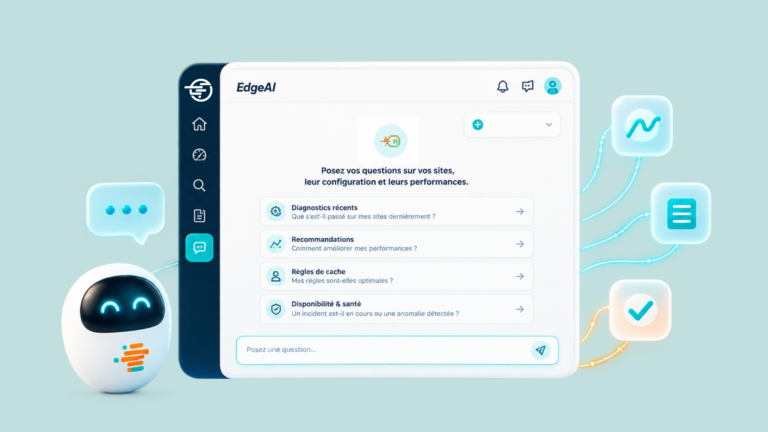
Have a question about your configuration? Need to find a recent operation, understand why a page isn’t being optimized, or simply figure out where to find specific information?
You can now ask directly from your Fasterize console. For the start of the 2026 season, a new member is joining Fasterize: EdgeAI, our AI assistant.
Its role is to give you more direct access to the information and actions you need, without having to search through multiple screens or browse the documentation.
Answers tailored to your context
When you start a conversation, you choose its scope:
-
all your websites, for a global view;
-
one specific website, when your question relates to a particular environment.
EdgeAI takes this context into account when answering your questions. This is especially useful when you manage several websites and want to quickly understand what happened on one of them without having to browse through the entire console.
The selected scope remains associated with the conversation, allowing the assistant to work within the right context.
For example, you can ask:
-
“What are the latest operations performed on this website?” EdgeAI can retrieve recent deployments, cache purges, and configuration changes.
-
“What configuration is currently active?” It can help you understand the modules, settings, and targets that are currently configured.
-
“Why doesn’t this page seem to be optimized?” It can guide you through diagnosing the issue.
-
“How does this setting work?” EdgeAI can explain Fasterize features and use our documentation to guide you.
You can ask your question just as you would ask someone on the Fasterize team. EdgeAI will find the relevant information and use our documentation to guide you.
What if an action is required?
The assistant can also help you carry out certain operations directly from the conversation.
A cache purge, for example, can be prepared directly with EdgeAI.
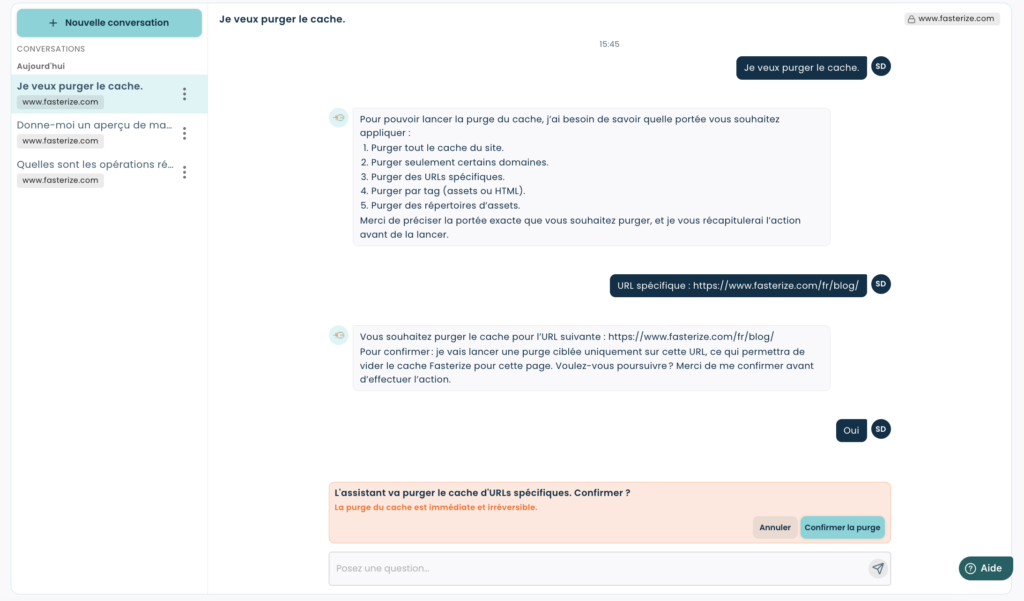
No surprises: whenever an action will modify your environment, EdgeAI tells you what it is about to do, shows you the scope of the action, and asks for your confirmation before executing it. You stay in control.
The goal is to make everyday operations easier while keeping you in control whenever a change needs to be applied. And when a topic requires deeper investigation or input from our teams, EdgeAI can help you hand it over to support.
An AI assistant, with humans always behind it
EdgeAI will help you become more autonomous when dealing with many day-to-day questions. But it is not designed to replace conversations with our teams.
Quite the opposite. If EdgeAI can retrieve information, explain a setting, or guide you through a routine operation, our Customer Success teams can spend more time on the areas where their expertise really makes a difference: taking a step back to review your results, identifying the right priorities, and helping you get more value from Fasterize to address your digital challenges.
And if a question requires going further, the Fasterize team is never far away.
Ready to meet EdgeAI?
A new, simpler way to access the information, settings, and actions you need to manage your websites.
Want to discover EdgeAI and see how Fasterize can support your digital challenges?