









We now have a new ticket management interface for our customers who encounter difficulties, queries, or even a bug…
24/7 Fasterize support
We’ve adopted Freshdesk to make life easier for you, and easier for us, when it comes to managing requests for ever greater efficiency.
How do I create a ticket? Nothing could be simpler: just go to the Solutions or Tickets tab and click on New Support Ticket. You can then easily detail your request, and the suggestion engine will suggest related help articles!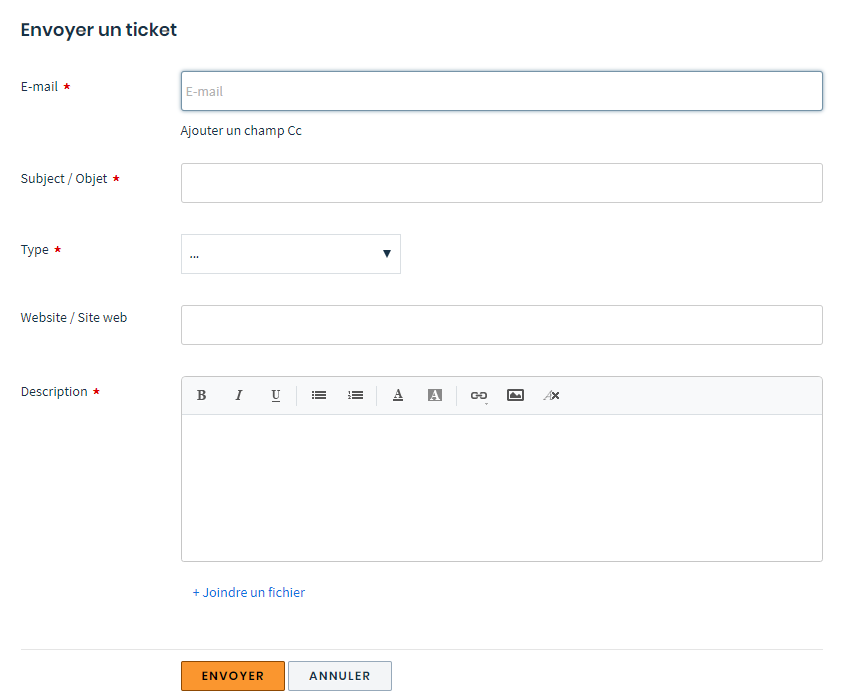
You can always send your requests by e-mail, which will automatically generate a ticket.
You can also follow the progress of a ticket directly from your account, via the “View ticket status” page.
In this section, you have access to all the tickets created by your team, so you can check if a request has already been made by members of your team or your colleagues.
And if you’re rather prolix and have already created a number of tickets, you can quickly search for them using the search engine at the top of the page.
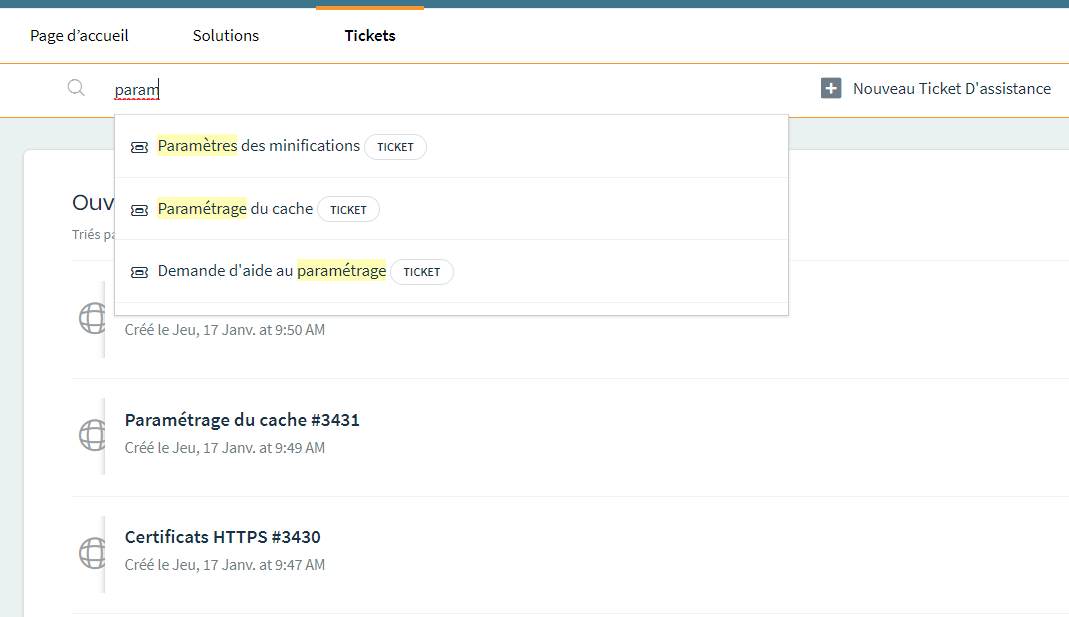
The search is carried out both in e-mails exchanged with support and in the knowledge base 🙂
In any case, before creating your ticket, we invite you to check the source of the problem you’re experiencing using theFasterize extension (available on Chrome and Firefox).
In just a few steps, you’ll be able to identify the origin of a broken page and decide whether or not it’s worth creating a ticket – or even cancel the ticket if you carry out this check after the fact.
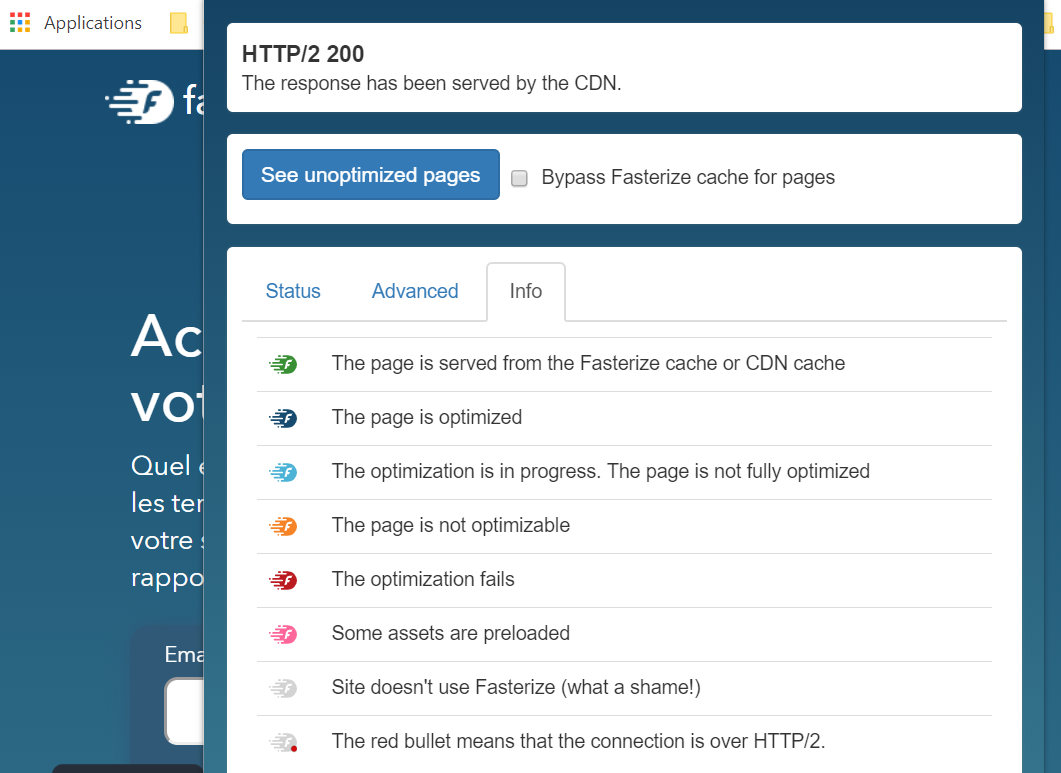
A knowledge and help base to consult without moderation
You can consult it at any time – as we saw a few lines back, it’s connected to the support request form.
The solutions tab gives you access to a large number of articles classified by theme, which you can also search for using the search engine.
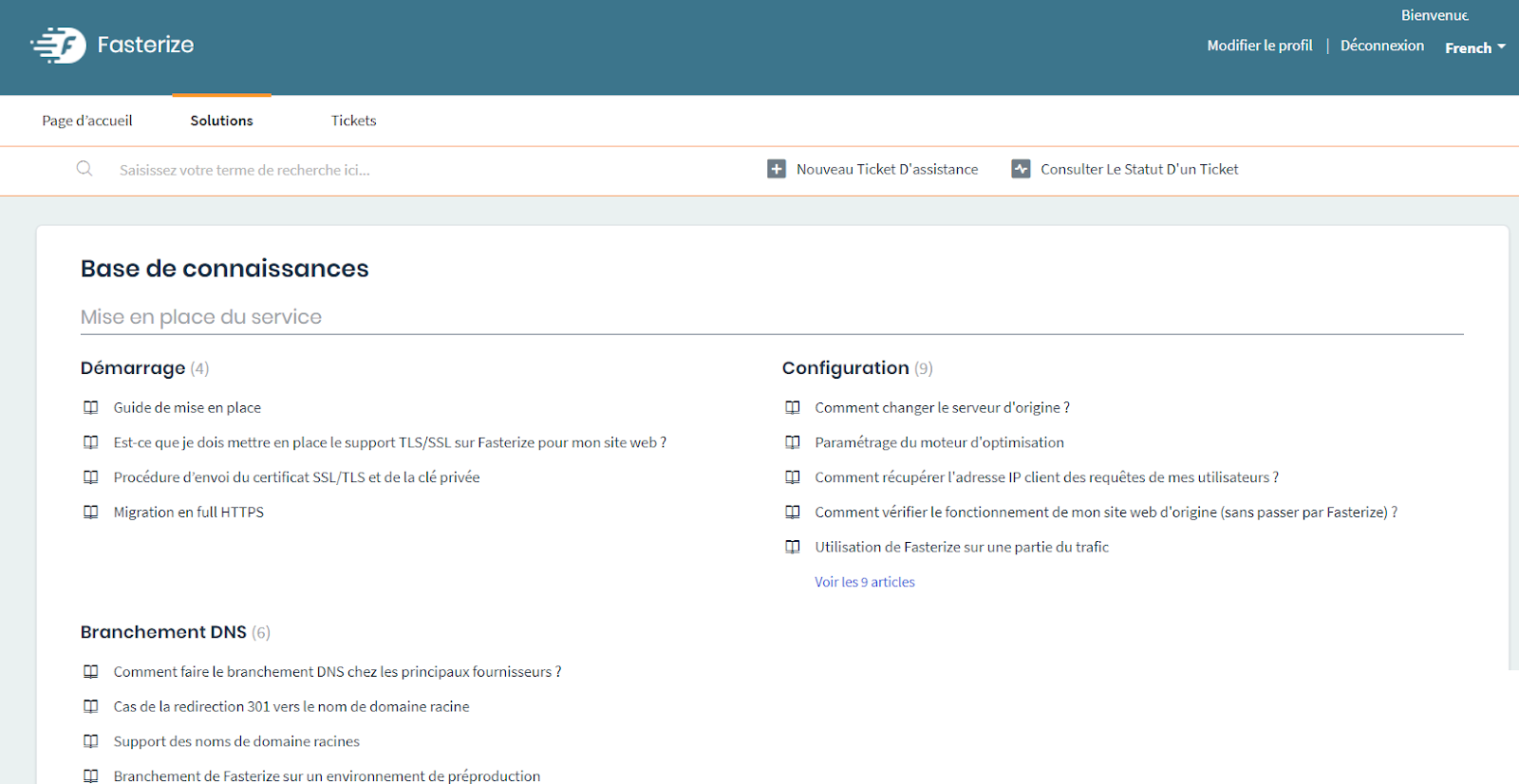
Finally, the support.fasterize.com website is available from your Fasterize dashboard, allowing you to be directly connected to Freshdesk and track your current tickets.
Keep up to date with our news, and that of webperf in general,
subscribe to our newsletter!